Build anything with Coderick AI by SiteGround (Webinar Video and Q&A)
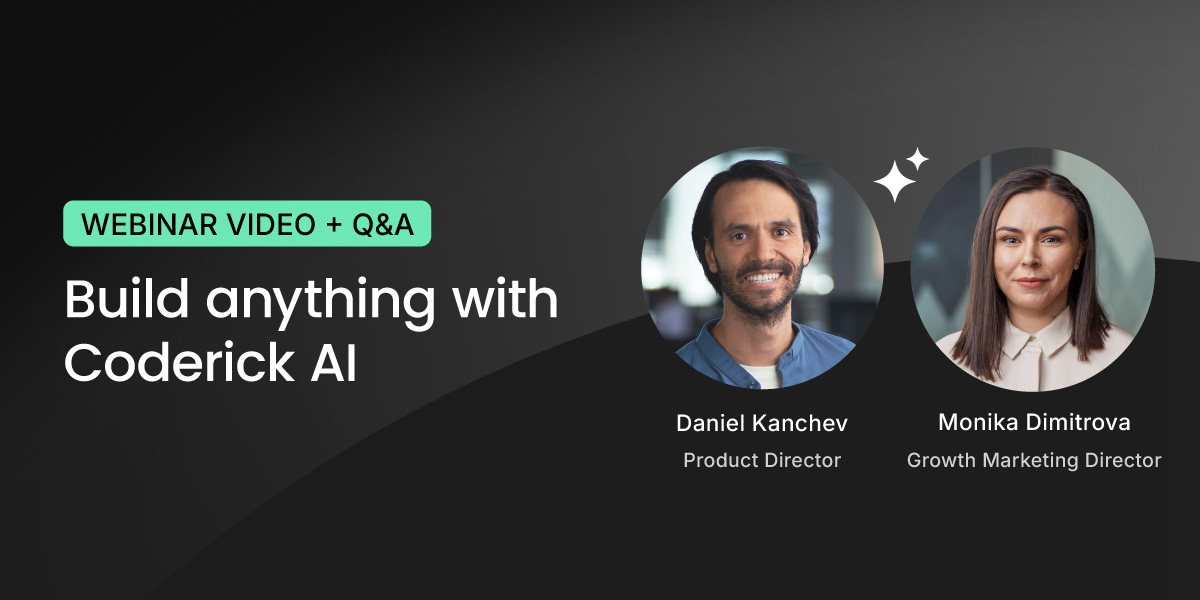
In our recent live webinar, our Growth Marketing Director Monika Dimitrova and our Product Director Daniel Kanchev put Coderick AI to the test: taking three projects from a blank screen to fully functioning applications, in real-time.
They built a staff scheduling app, a full website with a booking system for a local vet clinic, and a brand new website using an existing one as a visual reference. Three projects, three very different use cases, all created through plain language conversation with Coderick AI.
Along the way, they shared tips on prompting effectively, showed how to iterate on designs, and answered dozens of questions live. If you missed it or want to rewatch, the full recording is now available on our YouTube channel:
Below are the key takeaways and the most common questions from the session, answered.
Key takeaways
The three builds showed very different use cases – and the same workflow
The webinar covered three projects back to back, and each one stretched Coderick AI in a different direction. The staff scheduling app was a pure internal tool – backend logic, user roles, shift management. The vet clinic was a full public-facing website with appointment booking baked in. And the third project started from an existing website used as a visual reference, showing how you can take a design you like and rebuild it as something new.
What stood out is that the workflow was the same every time: describe what you want, review what Coderick AI builds, then refine through follow-up prompts. Whether it’s a website or a web app, the process doesn’t change.
The three projects took about 40 minutes in total – but none of them were finished products. They were strong starting points. The more you iterate, the further you can take it. “Easy and in minutes” is real – it’s just the beginning, not the whole story.
How you prompt makes a difference
The better and more specific your description, the closer the first result is to what you actually need – and the fewer iterations it takes to get there.
During the vet clinic build, the prompt didn’t just say “make a vet website.” It described the pages needed, the booking flow, the kind of information to show. That level of detail meant the first version was already close to usable. Compare that to a vague prompt – you’ll get something, but you’ll spend more time (and credits) refining it.
Think of it like briefing a developer. You don’t need to know how to code, but you do need to know what you want. And if you’re not sure, just describe your goal and let Coderick AI suggest an approach – it’s a conversation, not a one-shot command.
Design isn’t locked – it’s iterative
The first result gives you something real to work with – from there, you shape it. “Make the header darker”, “switch to a two-column layout”, “use the color palette from this screenshot.” Each prompt adjusts the design without starting over. You can even describe a mood or a feeling to Coderick AI and see where it goes. During the session, a single prompt for the vet clinic produced a full warm, Japanese-aesthetic redesign complete with paw prints.
This works with visual references, too – not just words, as the third project showcased. You can share a screenshot of a design you like, and Coderick AI uses it as a starting direction. From there, you shape it into something your own.
You end up with a working project on a real URL – hosting, database, security included
Unlike most AI builders where you generate something and then figure out where to host it, Coderick AI projects go live on SiteGround’s infrastructure automatically. Database, hosting, SSL, deployment – all handled. Hit publish, and it’s live.
Coderick AI – your questions answered
Can a non-technical person really build a full app or website with Coderick AI?
Absolutely – that’s the entire point. Coderick AI was built specifically for people who don’t code. You describe what you want in everyday language, and the AI generates a complete, working project for you – structure, design, database, backend logic, and all.
If you happen to have a developer on your team (even a basic one), that’s a bonus. They can guide the prompts with a bit more technical clarity, which often means better results faster. But it’s not required. Thousands of non-technical users are already building real websites and web apps with Coderick AI – from portfolio sites and booking systems to CRM dashboards and invoice trackers.
Can Coderick AI rebuild or refresh my existing website?
Coderick AI can’t directly edit or update your current website – but it can do something arguably better. You can use it to rebuild your site from the ground up. Describe what you want, attach screenshots of your current design as a reference for the direction you’d like to take, and Coderick AI will generate a fresh, modern version.
For smaller updates like rewording text or restructuring your menu on an existing site, SiteGround’s AI Studio is a better fit – and it’s included free with your hosting plan. The two tools complement each other nicely: AI Studio for quick content updates, Coderick AI for when you’re ready for a complete transformation.
Can I customize the design of the apps built with Coderick AI?
Yes – and this is where Coderick AI really stands out compared to template-based builders. There are no preset themes limiting your design. Every project is built from scratch based on your description, which means you have complete creative freedom.
Want to change colors, layouts, fonts, spacing, or navigation? Just tell Coderick AI what you’d like. You can say things like “make the header simpler,” “switch to a dark color scheme,” “add more white space between sections,” or “make the call-to-action button larger and green.” You can also attach screenshots of designs you admire as visual references.
Every element is customizable through conversation – from the overall look and feel down to individual buttons and form fields. No CSS knowledge required. Just describe your vision, and Coderick AI brings it to life.
How is Coderick AI different from building with WordPress?
With WordPress, you’re assembling pieces – picking a theme, installing plugins, configuring settings, and often hiring a developer when things get complicated. With Coderick AI, you skip all of that. You describe what you want in plain language, and the AI builds a fully working website or web app for you – complete with frontend, backend, database, and hosting, all included from the start.
There’s no theme to configure, no plugins to maintain, and no dashboard to learn. You just chat with Coderick AI, and it handles the technical side. Think of it as going from idea to live project in minutes instead of weeks. And because everything runs on SiteGround’s infrastructure, your site is fast, secure, and production-ready the moment you hit Publish.
Can Coderick AI work alongside my existing WordPress site?
Coderick AI is a standalone platform – it doesn’t plug into WordPress or run as part of it. It’s a completely different approach to building for the web.
That said, there are practical ways to connect the two. You can build a tool, calculator, booking page, or any web app with Coderick AI and link to it from your WordPress site. Each Coderick AI project lives on its own domain, so it works beautifully as a companion to your existing setup – especially for functionality that would normally require complex plugins or custom development in WordPress.
How do credits work?
Credits are how Coderick AI measures AI usage. Every action – from generating a new project to making small tweaks – uses a certain number of credits. Simpler prompts use fewer credits, while more complex or detailed requests naturally use more.
Your credit balance resets monthly with your plan, and you can always see how many credits you’ve used and how many remain directly in the interface. The free trial comes with 50,000 credits so you can test and experiment before committing. Paid plans start from just $10/month and include premium SiteGround hosting – so there’s no separate hosting bill to worry about.
Pro tip: Building in small, focused steps isn’t just better for results – it’s also more efficient with credits.
How many credits does a typical project actually use?
It depends on scope, but here’s a useful frame. A simple landing page or single-purpose app uses far fewer credits than a multi-page site with a database, user login, and booking system.
Paid plans start at 100,000 credits per month on Essential, 200,000 on Plus, and 400,000 on Pro – so there’s room to build, iterate, and maintain without constantly watching the counter.
Pro tip: The best way to stretch your credits is a specific, well-thought-out first prompt – the closer your brief, the less back-and-forth it takes. If you’re a SiteGround customer, a great way to plan ahead is to use AI Studio to shape and refine your idea before bringing it into Coderick AI.
How does Coderick AI compare to other AI builders like Bolt, Lovable, or Replit?
There are many AI app builders out there, and at first glance they might seem similar – you describe what you want, then AI generates it. The meaningful difference is in what happens after the build.
Most vibe coding tools are builders only and once your project is generated, you still need to figure out hosting, deployment, database, and security. Some platforms bundle these extras, but they typically come from third-party providers and cost on top of the base plan.
Coderick AI is an all-in-one platform. The building, hosting, database, SSL, and deployment are handled together from the start on SiteGround’s infrastructure – no separate bills, no configuration, no second project. You hit Publish, and it’s live. And with 20 years of hosting expertise behind it, your project runs on the same foundation that powers some of the web’s most demanding sites.
Can I build an e-commerce store with Coderick AI?
Yes – and it’s one of the most popular use cases. Coderick AI can build product catalogs, order forms, landing pages, and even membership areas with user login. You describe your products, how you want them displayed, and what the ordering flow should look like, and Coderick AI generates a clean, working storefront for you.
It’s a great fit for businesses that want an online presence without the complexity of WooCommerce or a full e-commerce platform. If your model relies on cash on delivery, bank transfers, or simple order capture, Coderick AI handles it right out of the box – no plugin setup, no overhead.
What about payments like Stripe and PayPal?
Payment gateway integrations aren’t available yet – but stay tuned. This is one of the most requested features and something we’re actively working on. For now, Coderick AI is perfect for order forms, product catalogs, and checkout flows where payment happens outside the platform (think bank transfers, invoicing, or cash on delivery). You get a fully functional storefront with a working backend that captures every order – you just handle the payment step separately for the time being.
How do I fix errors without technical knowledge?
You don’t need to understand a single line of code. If something isn’t working the way you expected, just tell Coderick AI what’s wrong – in plain language. Describe the issue, and it will debug and fix it for you.
That said, the more specific you are, the better the result, and adding a screenshot gives Coderick AI much more to work with.
And here’s the safety net: Coderick AI has built-in version control. If a fix doesn’t work or something goes sideways, you can roll back to a previous working version with one click and try a different approach. The best practice is to build in small, incremental steps – that way, issues are easy to spot and quick to resolve. Think of it as working with a developer who’s always available and never judges you for not knowing code.
How do I maintain my Coderick AI project after it’s built?
The same way you built it – by talking to Coderick AI. Want to update a product listing, add a new page, or change the wording on your homepage? Just describe what you want, and Coderick AI applies it.
There’s no separate admin panel to learn, no theme editor to navigate. Your ongoing conversation with Coderick AI is how you manage the site.
Can I see or edit the code that Coderick AI generates?
Coderick AI is designed so that everything happens through conversation: you describe what you want, and the AI builds it. The generated code runs under the hood, and the current interface doesn’t expose it for direct editing in the way a traditional code editor would. For most users, that’s the whole point: no code to write, read, or maintain.
For those of you who want to go deeper, a built-in code editor is in the roadmap – so if code-level control matters to your workflow, keep a look out for news and product updates.
What integrations are currently available?
Right now, Coderick AI handles everything that’s built in: databases, user authentication, email functionality for authentication, and all the backend logic your project needs. Third-party API integrations – like connecting to Stripe, Google Workspace, or external services – aren’t supported yet.
But here’s the exciting part: this is actively being worked on, and there are some big announcements coming soon. In the meantime, there are creative workarounds.
Who owns what I build with Coderick AI?
You retain ownership of your project ideas, content, data, and everything you create – the website functionality, text, images you upload, and the overall output. It’s your work.
Coderick AI is designed as a fully managed platform, which means your projects are hosted and run on SiteGround’s infrastructure. There’s no option to download the raw source code or export projects to another hosting provider. This is by design – it’s what keeps everything fast, secure, and hassle-free. You focus on building and growing your project; the platform takes care of the rest.
What are the realistic limits of what Coderick AI can build?
Coderick AI is remarkably capable – but it’s good to know where it shines brightest. Here’s a quick breakdown:
What it does well: Business websites, landing pages, portfolios, product catalogs, dashboards, CRM systems, booking pages, membership areas with login, order management tools, task trackers, invoice generators, and internal business apps. You can also ask for animations, parallax scrolling effects, and custom design elements.
What’s coming in the future: Payment gateway integrations, connections to external APIs and third-party services, and expanded e-commerce features.
What it doesn’t do: Coderick AI builds web-based projects that run in a browser. It can’t create standalone desktop applications for Windows or Linux. It also doesn’t currently support agentic workflows or direct connections to external platforms like AWS.
The sweet spot? Any web-based tool, site, or app that you can describe clearly – Coderick AI can likely build it for you.
Can Coderick AI build apps with a database – and can I manage the data myself?
Yes, and Coderick AI creates the database automatically when your project needs to store and retrieve data (user accounts, bookings, product listings, form submissions, inventory records), Coderick AI creates a database for it. No configuration required — it’s there when you need it.
Once the database exists, you can manage it directly through the built-in database dashboard in the Coderick AI interface. From there, you can add records, edit existing entries, or create new data collections. So a real estate agent can add new property listings directly. A restaurant owner can update their menu items. A studio manager can remove past events.
One thing worth highlighting: your database is stored on SiteGround’s own infrastructure – meaning it’s part of your hosting environment, covered by the same data protection and security standards your site already runs on.
Pro tip: You can also ask Coderick AI to build you a custom admin panel – with personalised views, user roles, and exactly the controls your workflow needs.
How do I get the best results when describing what I want?
The quality of your output depends on the quality of your input – and the good news is, you don’t need to be technical to write great prompts. Here are the key principles:
Be specific. Instead of “build me a website,” try “Build a yoga studio website with a class schedule, an about page, instructor bios, and a contact form that collects name, email, and message.”
Build incrementally. Start with the core structure, review it, then add features one at a time. This keeps things clean and makes issues easy to spot.
Use screenshots as references. If you see a design you like, attach a screenshot and pair it with a description. For example: “I want a layout similar to this, with a horizontal navigation bar and a three-column feature section below the hero image.”
Describe problems clearly. If something isn’t right, tell Coderick AI exactly what’s happening and what you expected instead. The more precise your feedback, the faster the fix.
Think of it as collaborating with a talented developer – the clearer your brief, the closer the result is to your vision on the first try.
Can Coderick AI build websites in languages other than English?
Yes. Because Coderick AI generates content based on your prompts, you can build in any language. All you need to do is write in the language you want the site to use, or specify it explicitly.
The same applies to regional variations: if you want UK English rather than American English, or want to make sure dates, currencies, and formatting follow local conventions, just include that in your instructions. Coderick AI will follow your lead.
How do I publish my project live?
It’s as simple as hitting the Publish button inside Coderick AI. Once you do, your project goes live – no extra setup, no third-party hosting to configure, no deployment steps to figure out.
You can either use the system URL that’s automatically generated for your project or connect your own custom domain for a more professional look. Either way, your site is accessible and ready to share the moment you publish.
And here’s the best part: every Coderick AI plan comes with premium SiteGround hosting built in. That means your site is fast, secure, and backed by SiteGround’s infrastructure from day one – security and performance optimization all included. There’s no separate hosting bill and nothing to manage on the technical side. You build it, you publish it, and it’s live.
What’s coming next for Coderick AI
Coderick AI is evolving fast, and the roadmap is packed.
Third-party integrations are with high priority on our roadmap, including connecting to external services like payment providers. It’s a frequently requested feature and one we’re committed to building out.
Beyond that, we’re working on in-preview editing so you can make changes directly in the visual preview, text-to-speech capabilities, and deeper AI enhancements that will make the building experience even more intuitive. In addition, you can expect soon to have professional emails that you can use with your Coderick AI project’s custom domain.
Coderick AI is already a powerful vibe coding tool for building websites and web apps without writing code. What’s coming next will make it even harder to find a reason not to start.
Everything you saw in the webinar – the live builds, the tips, the speed – you can try it right now. Coderick AI comes with a free 14-day trial, no credit card required. Describe your first project, and see what happens.
What would you like to see in Coderick AI next? Drop a comment below – we read every one, and your ideas can shape the roadmap.







Comments ( 0 )
Thanks! Your comment will be held for moderation and will be shortly published, if it is related to this blog article. Comments for support inquiries or issues will not be published, if you have such please report it through our official channels of communication.
Leave a comment
Thanks! Your comment will be held for moderation and will be shortly published, if it is related to this blog article. Comments for support inquiries or issues will not be published, if you have such please report it through our official channels of communication.